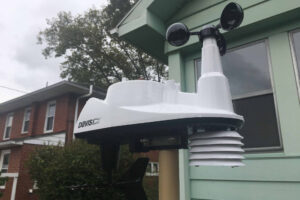
Tag: Weather Stations

We’re called The Weather Station Experts for a reason. Read all of our blog posts, reviews, and advice on weather stations here.

  • Davis WeatherLink Live ReviewBring your Davis weather station into the 21st Century, no console required

    Davis WeatherLink Live Review
    Bring your Davis weather station into the 21st Century, no console required

    We earn a commission when you buy through some links on this page. Cirrusly Weather is our sister store, owned by the same people as The Weather Station Experts. As an Amazon Associate I earn from qualifying purchases.

    Davis Instruments WeatherLink Live
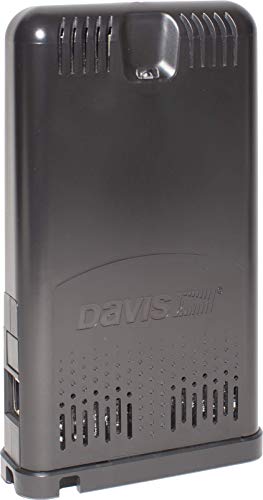
    Davis Instruments WeatherLink Live
    Davis tells us that the will be supported for the foreseeable future (and at least initially, is needed if you have an AirLink — the WeatherLink Console didn’t ship with support for Davis’ air quality device). And in some places, you can still find it, although rising component costs have made it much more expensive than it was at launch (by about $100). We like the live updating within the app when you’re on the same Wi-Fi network as your WeatherLink Live. It’s a nifty feature, and I’ll admit to watching it intently during some of our stormiest weather. The WeatherLink Console can also do the same thing, by the way. If you’re not sold on the console, the WeatherLink Live is worth considering.

    What we like

    • Super quick setup
    • Live in-app data when on your home network
    • Adds expandability to your Davis station
    • Ready for the smart home

    Keep in mind

    • For current Davis users, no way to merge data

    Certain content that appears on this site comes from Amazon. This content is provided “as is” and is subject to change or removal at any time.

    All Davis weather stations suffer from one massive issue: there’s no way to get your weather data on the internet. It seems incredibly odd these days, considering many AcuRite and Ambient Weather stations (among others) do. That’s where Davis’ WeatherLink Live comes in.

    Editor’s Note: Davis Instruments has discontinued the WeatherLink Live with the launch of the WeatherLink Console. Read our review.

    While Davis offers weather station packages for both the Vantage Vue and Vantage Pro2, including the WeatherLink Live base station, current Davis weather station owners can purchase the device separately to add to their preexisting setup. Once set up, the WeatherLink Live base station offers several great features that bring your setup into the 21st Century with few issues.

    For years, Davis relied on a dongle installed in your console to connect your weather station to your network, which also, in turn, required an Ethernet connection to work. That’s no longer the case with WeatherLink Live. The device connects to your network by Wi-Fi, allowing you to place it wherever you need to.

    While WeatherLink Live is no cheaper than its predecessor, you get a lot more. Since it handles the communication between your sensor suite and the internet, you can now watch real-time conditions from the WeatherLink smartphone app.

    It also makes any Davis station expandable. Previously, only the Davis Vantage Pro2 offered any expandability beyond its core sensors. That’s now changed: as long as the sensor you’re using is compatible with WeatherLink Live, you can add it to your setup.

    You couldn’t ask for a more straightforward setup than WeatherLink Live offers. The app guides you through the entire process. We set up ours in less than 10 minutes, with the app automatically connecting our Vantage Vue to the WeatherLink Live, and data was streaming to the app only a minute or two later.

    We chose Wi-Fi to place the WeatherLink Live in another room, giving us a way to monitor temperature elsewhere in our house since we already had the console. You can still choose to connect via Ethernet cable if you wish. We’d recommend this, especially if you have a smart home full of gadgets that might already be taxing your bandwidth.

    Even more impressive is its reception capabilities: Davis Instruments claims that the WeatherLink Live can receive data from sensors 1,000 feet away thanks to frequency-hopping spread spectrum radio technology. While we don’t have a large enough yard to put this to the test, we’ve never had any issues with dropouts or missing data.

    The device can handle up to eight Davis devices in any combination, including Vantage Pro2 and Vantage Vue sensor suites, sensor transmitters with up to five sensors each, AirLink, or wireless leaf and soil moisture stations. In theory, you could have over 80 sensors on one WeatherLink device! You’ll never run out of capacity.

    WeatherLink live web screenshot
    The WeatherLink Live web dashboard.

    One of WeatherLink Live’s best features is its real-time reporting capabilities. If you’re not at home, the device will transmit data to WeatherLink once a minute, which can be viewed either from the WeatherLink website (seen above) or through the WeatherLink app. However, when your phone is on the same Wi-Fi network as WeatherLink Live, the app will stream live data.

    You can view historical data in a spreadsheet or chart format on the web version, which we find especially useful during weather events. All your data is stored in the WeatherLink Cloud, which keeps your recorded data safe. With the old dongle system, we’d frequently lose data because the dongle’s memory would fill quickly in a power outage.

    Both rainfall and rain rate update every ten seconds on the WeatherLink app; wind speed and direction data update every 2.5 seconds. That’s the fastest reporting weather data rate of any weather station on the market. It’s also neat to watch wind gusts happen, something you can’t do without live weather data or sitting in front of the console.

    We earn a commission when you buy through some links on this page. Cirrusly Weather is our sister store, owned by the same people as The Weather Station Experts. As an Amazon Associate I earn from qualifying purchases.

    Davis Instruments WeatherLink Live

    Davis Instruments WeatherLink Live
    Davis tells us that the will be supported for the foreseeable future (and at least initially, is needed if you have an AirLink — the WeatherLink Console didn’t ship with support for Davis’ air quality device). And in some places, you can still find it, although rising component costs have made it much more expensive than it was at launch (by about $100). We like the live updating within the app when you’re on the same Wi-Fi network as your WeatherLink Live. It’s a nifty feature, and I’ll admit to watching it intently during some of our stormiest weather. The WeatherLink Console can also do the same thing, by the way. If you’re not sold on the console, the WeatherLink Live is worth considering.

    What we like

    • Super quick setup
    • Live in-app data when on your home network
    • Adds expandability to your Davis station
    • Ready for the smart home

    Keep in mind

    • For current Davis users, no way to merge data

    Certain content that appears on this site comes from Amazon. This content is provided “as is” and is subject to change or removal at any time.

    If the power goes out, you’re covered. Redundant battery backup and internal auxiliary memory collect data, uploading it to the WeatherLink Cloud when power is restored. We have had several power outages and not a single data loss incident. It also natively supports sharing weather data with third-party services like the Weather Underground, making it super easy to share with the global WeatherLink community and the public.

    Another key benefit is that this new platform is smart home-ready. While currently WeatherLink Live only supports Amazon Alexa and Google Assistant, we’re hoping that in the future this might mean Davis station owners could connect to services like IFTTT, which allow you to control other smart home devices.

    Ambient Weather’s stations already do this, and it’s one of the key reasons we often recommend a station like the WS-5000 over a Davis station — especially for those potential buyers who might already own a substantial number of smart home devices.

    A word of caution for current Davis weather station owners

    The Davis WeatherLink Live isn’t without quirks, especially for existing Davis weather station owners. Unfortunately, you’ll need to start fresh if you already own the dongle and didn’t use the desktop software to download your weather data.

    Davis stores data from your station to their servers, even if you haven’t signed up for any premium services or downloaded the data from your dongle to your desktop software. Once you install the WeatherLink Live, this data isn’t migrated over, and your records start from the day you installed it.

    If you keep the dongle connected, it will still record data to that old dataset. We’re forced to do that ourselves: we had close to four years of data recorded by the dongle and didn’t want to lose it. Davis has offered no solution for this, and nobody’s been able to find a workaround yet.

    It’s an annoying quirk that prevented us from giving this a full five stars. We hope that Davis offers some solution in the future, especially if it ends support for the dongle. Davis is known to support even its oldest weather stations long after they have been discontinued, so that could be a while before that happens.

    davis vantage pro2 console on wal

    The bottom line

    If you’re considering a Davis station, it’s almost foolish not to purchase the WeatherLink Live. Current Davis weather station owners will also benefit from the improved functionality. While the price is high, considering most weather stations these days include internet connectivity by default, we think it’s worth the additional cost.

    WeatherLink Live answers many of the criticisms lobbed at Davis over the years, especially the glacial pace in offering new functionality. The old dongle has remained unchanged for nearly two decades, and the WeatherLink Live software looked like something out of the 1990s.

    Now completely app and web-based, WeatherLink Live has brought Davis kicking and screaming into the 21st Century. With new sensors like the AirLink being built for the WeatherLink Live platform, owning one will become a necessity if you want to take advantage of the company’s latest and greatest features.

    Buy one. You won’t regret it. I know we haven’t.

  • Davis Instruments WeatherLink Console ReviewIt's a good start, but it needs some work to be great.

    Davis Instruments WeatherLink Console Review
    It’s a good start, but it needs some work to be great.

    The WeatherLink Console was a long time coming. Davis’ consoles for the Vantage Vue and Vantage Pro2 have remained the same as when they first launched two decades ago. As a result, Davis fell far behind its competitors.

    While WeatherLink Live and AirLink gave Davis weather station owners additional functionality, everything felt stuck in the 1990s otherwise. I have criticized them for this, especially considering Davis’s reputation in the weather community. It felt like they were “resting on their laurels,” as they say. Well, Davis answered these criticisms.

    The console completely changes how you interact with your Davis equipment. A bright eight-inch high-quality touchscreen display displays your data and is customizable. It connects to WeatherLink Live and includes over 100 alarms, charting, and historical data. But all of this does not come cheap.

    The console at $395 is as much (if not more) than most home weather stations we’ve reviewed. And customers don’t seem to be too happy about it: some reviews online aren’t too kind. We wanted to put the WeatherLink Console to the test ourselves and see if the criticisms of the new console are warranted. While some are legitimate, our experience didn’t find it cheap, just buggy.

    Installation and Setup

    The directions provided aren’t as good as other Davis products: we recommend downloading the user manual for instructions as it is more detailed. However, you get everything else you need to install, minus any tools. Davis uses a 2A USB for power. An internal battery can provide up to a day’s worth of power and is charged while the console is powered on.

    The setup is confusing, especially if you already have a Davis weather station. It asked me whether I wanted to set it up as a new or old console. From how it was worded, it sounded like the data from the old console wouldn’t be brought over and possibly deleted. Since I didn’t want that to happen, I set it up as a new console.

    There is no support for the Davis AirLink sensor right now, although Davis tells me it’s on the way. (EDIT: It’s here! – February 2024)

    weatherlink console

    A Modern Display

    The WeatherLink Console runs on a customized version of Android, so if you’ve used that platform, navigation is similar (it’s also upgradeable). The display is high-quality and easily readable across the room. The console also has an ambient light sensor and will turn itself off in dark rooms. A high-contrast mode is meant for color blindness. However, I have it set because it looks better in a dark room.

    Swiping across the console displays each sensor linked to your account. When the AirLink integration arrives, I assume this is where you’d find it. It also looks expandable. I discovered a memory card slot and an input hidden under a rubber cap on the console’s right side. If this is for what I think it is, it’s nice to see Davis ensuring their newest products are upgradeable.

    Pictures of the console do make it seem like Davis is trying to squeeze a lot of data into a small screen, but it’s well laid out in person. You can choose a four-panel (on each side) or six-panel view. But this only displays the data: tapping on it doesn’t bring up historical or graphed data as you’d think.

    Instead, a home icon on the top center of the display is what you need to tap to find this data. There are tabs for the “bulletin” (Davis’ standard table-based text view of all your current weather data), graphs, historical data, a map showing conditions at nearby Davis weather stations, and your settings.

    Everything here looks great, but the mapping feature uses the dots as WeatherLink does. That felt cluttered on a small screen like this, and I’d rather see the actual data than have to tap through. There are places where Davis makes you tap through too much for something, and in other places miss an opportunity to use the touchscreen more effectively.

    The status bar kept displaying the message “resynching” as seen in photos, but the information appeared current. Reaching out to support, I was told this is an issue with the sensor suite not having a good connection. I tried moving around the console, including taking it outside next to the sensors, but that still didn’t make the message disappear.

    In late June, a software update was pushed to the console, where the status bar now shows other information, but the resynching message remains. Perhaps Davis has the threshold set too high? I’m not sure.

    WeatherLink Console showing station data.

    A Word of Caution for Current Davis Customers

    Davis has not yet solved the creation of new data pools every time you add a new device. I now have three pools of weather data: one for the WeatherLink IP (back to September 2016!), one for the WeatherLink Live (2019), and now the WeatherLink Console. There is no way to merge this data in an official capacity.

    I’ve turned to an Excel spreadsheet: I know other Davis customers that have turned to third-party options. Not being able to retire old equipment is annoying. I am still running the IP because of all the data stored on Davis’ servers. The WeatherLink Live is still needed to access my AirLink.

    The console is the perfect opportunity to bring all this data back together. Since moving from a software-based to a web-based platform, this issue has bedeviled long time Davis customers for too long. Trust me, you don’t want to fight with Excel to do this. I’ve done it. It’s a pain in the you-know-where, to be honest.

    The Issue Isn’t the Hardware, It’s the Software

    All my issues with the device are solely in how the software works. But with the device setting you back $395, there should be more polish here. I am hopeful for a quick resolution: I’ve witnessed the console restart for updates a few times during the test, which is a good sign.

    Davis also has a lot more R&D budget thanks to its new owners, Union Park Capital (they purchased Davis in 2019). So I am expecting much more innovation from Davis in the coming years, something the company has been missing the past decade or two. Bottom line? If you’re new to Davis, you’d be crazy to not pick this up at the same time (and save $50 in the process).

    But for current Davis customers, if you can deal with the growing pains, it’s a nice device. But we’d understand if you wanted to wait.

    We earn a commission when you buy through some links on this page. Cirrusly Weather is our sister store, owned by the same people as The Weather Station Experts. As an Amazon Associate I earn from qualifying purchases.

    WeatherLink Console by Davis Instruments

    WeatherLink Console by Davis Instruments
    The WeatherLink Console is Davis’ brand new way of interacting with your Davis weather station. It replaces the WeatherLink Live and will ship with all Davis packages. While the console’s introduction has resulted in a price increase across the board for most Davis weather station packages, it’s for the best. An additional piece of hardware is no longer needed to connect your station to the internet. The screen, which measures about eight inches diagonally, is viewable from across the room and is touch-enabled. You can set about 100 alarms and view historical and graphed data on the console.

    What we like

    • Arguably the best-looking console available
    • Feature-packed
    • It appears to be expandable and upgradeable

    Keep in mind

    • The touch UI isnt the best
    • Its best features are buried
    • Expensive for a console

    Certain content that appears on this site comes from Amazon. This content is provided “as is” and is subject to change or removal at any time.

    Davis Stations with the WeatherLink Console

    We earn a commission when you buy through some links on this page. Cirrusly Weather is our sister store, owned by the same people as The Weather Station Experts. As an Amazon Associate I earn from qualifying purchases.

    1. 1

      Davis Vantage Vue

      Davis Vantage Vue

      4.2 / 5 Editorial rating

      The reliability of Davis weather stations is legendary in the weather enthusiast community. I’ve had mine running continuously since September 2016, and I know others who have had theirs for over a decade. There is also the story of a gentleman with a Davis Weather Monitor II (a predecessor to the Vue) who recently upgraded after 27 years (that’s not a typo). While you don’t get the unbeatable accuracy of the high-end Davis Vantage Pro 2 home weather station, my experience has been positive. With the WeatherLink Console, sharing your data is super easy.
    2. 2

      Davis Vantage Pro2

      Davis Vantage Pro2

      4.2 / 5 Editorial rating

      The Davis Vantage Pro2 is one of the best high-end wireless home weather stations you can buy and is made even better by WeatherLink Live or the WeatherLink Console. The Vantage Pro2 is a proven workhorse. Several years ago in the Caribbean, a VantagePro 2 recorded a 199mph wind gust in a hurricane before its mast snapped. That’s the highest wind reading ever recorded on a home weather station!
    3. 3

      Davis Vantage Pro2 Plus

      Davis Vantage Pro2 Plus

      4.3 / 5 Editorial rating

      We’ll admit that we completely ignored the Vantage Pro2 Plus for years. The reason was the price. With a console that hadn’t been updated in 20 years, and other pro-grade stations available, we just didn’t find it a great value. With the WeatherLink Console that’s changed, and the Vantage Pro2 Plus is suddenly much more attractive.

    Certain content that appears on this site comes from Amazon. This content is provided “as is” and is subject to change or removal at any time.

  • Which Kestrel Weather Meter Should I Buy?These pocket weather stations are a must-have for any outdoor enthusiast

    Which Kestrel Weather Meter Should I Buy?
    These pocket weather stations are a must-have for any outdoor enthusiast

    Kestrel weather meters are some of the best handheld weather stations on the market. Our favorite is the Kestrel 5000, but we can understand if that’s too expensive. There are a dizzying amount of options, making it difficult to choose. But all come with the same accuracy and reliability — and an outstanding five-year warranty, the best of any weather instrument manufacturer.

    We recommend serious weather enthusiasts purchase either the Kestrel 5500 or Kestrel 5000 Weather Meter. These two models are as good as a weather station, and the 5500 can be placed on a special mount that allows it to act as a mobile weather station out in the field. These Kestrel Weather Meters also come with LiNK, which we review a bit later (you can also skip right to it using the menu above!).

    However, most will be able to get by with one of the cheaper models. The Kestrel 3000 or 3500 are good options, as is the entry-level Kestrel 2000 if you have a limited budget.

    Top Rated Kestrel Weather Meters

    Kestrel Comparison Table

    We earn a commission when you buy through some links on this page. Cirrusly Weather is our sister store, owned by the same people as The Weather Station Experts. As an Amazon Associate I earn from qualifying purchases.

    1. 1

      Kestrel 3000 Pocket Weather Meter

      Kestrel 3000 Pocket Weather Meter

      4.1 / 5 Editorial rating

      A step up from the Kestrel 2000, which adds temperature to the wind meter, is the Kestrel 3000. The device can also measure humidity, such as dewpoint and heat index. That’s why the company dubbed it a “heat stress monitor,” we think this would be useful for those who spend a lot of time outdoors for work. However, if you don’t have a real use for this data, we’d recommend stepping down to the much more reasonably priced Kestrel 2000. The nice thing about Kestrel meters is that the instrumentation is generally the same across the entire line, so you’re not losing accuracy, just features.

      What we like

      • Adds humidity readings to gauge heat stress
      • Perfect for outdoor jobs

      Keep in mind

      • Feels like the 3500 is a better value
    2. 2

      Kestrel 5000 Environmental Meter with Link

      Kestrel 5000 Environmental Meter with Link

      4.5 / 5 Editorial rating

      There’s no doubt about it: the Kestrel 5000 is a beast of a handheld weather station. While the Kestrel 5500 is the company’s top-of-the-line model, the additional functionality you get is primarily targeted toward wind-sensitive uses (crosswind, tailwind, etc.) You won’t need that in most cases. As a result, the Kestrel 5000 is $80 cheaper (MSRP). We’d strongly recommend purchasing the model with LiNK. Using a mobile phone and Kestrel’s app, you can view data up to 100 feet away from the device, making it useful for taking fixed readings without having to stand in the elements to do it.

      What we like

      • Data logging capabilities
      • A full weather station in your pocket
      • Highly accurate

      Keep in mind

      • As expensive as a home weather station

    Certain content that appears on this site comes from Amazon. This content is provided “as is” and is subject to change or removal at any time.

    Kestrel Wind Meters vs. Kestrel Weather Meters

    A wind meter does what its name suggests: it measures wind. However, some Kestrel wind meters measure additional variables, such as temperature. On the other hand, a Kestrel weather meter is like a weather station in your hand: and will measure several weather variables, including altitude, wind speed, temperature, humidity, wet bulb temperature, Delta T, wind chill, and more.

    The company produces specialized versions of some models for specific applications. For example, the Kestrel 3500 has specialized versions for in-field use that focus on Delta T, agriculture use (spraying), and fire weather.

    Kestrel Weather Meter Comparisons

    Unsure of which Kestrel Weather Meter to choose? We compare the various options below and recommend which one you should buy.

    Kestrel 5000 vs. Kestrel 5500

    Kestrel 5000 vs. Kestrel 5500

    We earn a commission when you buy through some links on this page. Cirrusly Weather is our sister store, owned by the same people as The Weather Station Experts. As an Amazon Associate I earn from qualifying purchases.

    Kestrel 5000 Environmental Meter with Link

    Kestrel 5000 Environmental Meter with Link

    4.5 / 5 Editorial rating

    There’s no doubt about it: the Kestrel 5000 is a beast of a handheld weather station. While the Kestrel 5500 is the company’s top-of-the-line model, the additional functionality you get is primarily targeted toward wind-sensitive uses (crosswind, tailwind, etc.) You won’t need that in most cases. As a result, the Kestrel 5000 is $80 cheaper (MSRP). We’d strongly recommend purchasing the model with LiNK. Using a mobile phone and Kestrel’s app, you can view data up to 100 feet away from the device, making it useful for taking fixed readings without having to stand in the elements to do it.

    What we like

    • Data logging capabilities
    • A full weather station in your pocket
    • Highly accurate

    Keep in mind

    • As expensive as a home weather station

    Certain content that appears on this site comes from Amazon. This content is provided “as is” and is subject to change or removal at any time.

    The Kestrel 5500 is the company’s top-of-the-line weather meter. Rugged enough for daily outdoor use and featuring a large green backlit display that you can read in any lighting, the 5500 measures wind speed, direction, temperature, humidity, dew point and heat index. The Kestrel 5500 also has a built-in altimeter/barometer.

    Unique to the 5500 is the measurement of crosswind and headwind/tailwind. This may be useful in flying, kiteboarding, kitesurfing, or yachting, any activity where winds blowing from a particular direction may be an issue. In addition to all these features, the Kestrel 5500 has a USB connection to send your readings directly to a computer. It’s a highly versatile device, but you pay for all this functionality.

    If that’s out of your price range, stepping down to the Kestrel 5000 makes sense. It doesn’t include the crosswind and headwind/tailwind functionality which we’re guessing a majority of you will rarely, if ever, use. But otherwise, the Kestrel 5000 measures everything that the 5500 can. Both models include Bluetooth connectivity, data storage, graphing functions, and in select 5000 series models, a computer interface technology called LiNK. The LiNK interface allows you to sync data from your weather station with a smart device like an iPhone.

    Between the two, we recommend the Kestrel 5000 to most as it is $70 cheaper (MSRP), unless you have a use for the extra wind functionality, or plan to use your Kestrel weather meter as a mobile weather station.

    Kestrel 3500 vs. Kestrel 5000

    Kestrel 3500 vs. Kestrel 5000

    We earn a commission when you buy through some links on this page. Cirrusly Weather is our sister store, owned by the same people as The Weather Station Experts. As an Amazon Associate I earn from qualifying purchases.

    Kestrel 5000 Environmental Meter with Link

    Kestrel 5000 Environmental Meter with Link

    4.5 / 5 Editorial rating

    There’s no doubt about it: the Kestrel 5000 is a beast of a handheld weather station. While the Kestrel 5500 is the company’s top-of-the-line model, the additional functionality you get is primarily targeted toward wind-sensitive uses (crosswind, tailwind, etc.) You won’t need that in most cases. As a result, the Kestrel 5000 is $80 cheaper (MSRP). We’d strongly recommend purchasing the model with LiNK. Using a mobile phone and Kestrel’s app, you can view data up to 100 feet away from the device, making it useful for taking fixed readings without having to stand in the elements to do it.

    What we like

    • Data logging capabilities
    • A full weather station in your pocket
    • Highly accurate

    Keep in mind

    • As expensive as a home weather station

    Certain content that appears on this site comes from Amazon. This content is provided “as is” and is subject to change or removal at any time.

    The Kestrel 3500 is the next model down from the Kestrel 5000. The main difference is that this device does not have data storage or connectivity options. As a result, it’s not as expensive as the 5000, yet measures everything that more expensive model does. We’d recommend this to weather enthusiasts who are on a tighter budget.

    The Kestrel 3500 is best for those looking for accurate weather readings but doesn’t care about connectivity. If you plan to use your Kestrel weather meter in severe conditions or wish to track your data, opt for the Kestrel 5000 instead, as those meters are the only ones with LiNK compatibility at the moment.

    Kestrel 3000 vs. Kestrel 3500

    Kestrel 3000 vs. Kestrel 3500

    We earn a commission when you buy through some links on this page. Cirrusly Weather is our sister store, owned by the same people as The Weather Station Experts. As an Amazon Associate I earn from qualifying purchases.

    Kestrel 3000 Pocket Weather Meter

    Kestrel 3000 Pocket Weather Meter

    4.1 / 5 Editorial rating

    A step up from the Kestrel 2000, which adds temperature to the wind meter, is the Kestrel 3000. The device can also measure humidity, such as dewpoint and heat index. That’s why the company dubbed it a “heat stress monitor,” we think this would be useful for those who spend a lot of time outdoors for work. However, if you don’t have a real use for this data, we’d recommend stepping down to the much more reasonably priced Kestrel 2000. The nice thing about Kestrel meters is that the instrumentation is generally the same across the entire line, so you’re not losing accuracy, just features.

    What we like

    • Adds humidity readings to gauge heat stress
    • Perfect for outdoor jobs

    Keep in mind

    • Feels like the 3500 is a better value

    Certain content that appears on this site comes from Amazon. This content is provided “as is” and is subject to change or removal at any time.

    The Kestrel 3000 is an excellent step up if the 2000’s feature set if you’re looking for a little more than just temperature and wind readings. It can measure humidity, allowing you to determine dew point temperature and potential heat stress. But it’s missing quite a bit from the Kestrel 3500, but for most general weather observers will be more than good enough.

    We’re still quite partial to the Kestrel 3500, and strongly recommend you opt for it over the 3000 if you have the budget for it.

    Kestrel 1000 vs. Kestrel 2000

    We earn a commission when you buy through some links on this page. Cirrusly Weather is our sister store, owned by the same people as The Weather Station Experts. As an Amazon Associate I earn from qualifying purchases.

    Certain content that appears on this site comes from Amazon. This content is provided “as is” and is subject to change or removal at any time.

    The Kestrel 2000 is the first Kestrel meter below $100, but it also doesn’t have much of the functionality that its more expensive brethren have. It can only measure temperature and wind speed and provide a wind chill value if cold enough. Despite its price, it’s not built any different from the other Kestrel meters (although it might be less durable than the 5000 series meters).

    If you’re looking for the best handheld wind meter, then the entry-level Kestrel 1000 is a great pick. It only measures wind, and that’s it. While it retails for the same price as the Kestrel 2000, it’s often on sale. Of course, we’d recommend looking at other cheaper wind meters instead (see our favorites here) for the best deals if price is a concern for you..

    Kestrel Weather Meter Specifications

    All Kestrel weather meters share the exact specifications and accuracy, regardless of model. The model differences are simply in their feature sets: no Kestrel is less accurate than another, and all models are waterproof. While the company imports components from overseas, most of the manufacturing is done here in the USA at Kestrel’s manufacturing facility near Philadelphia.

    Kestrel backs all of its weather meters with a five-year warranty, which is generous for most weather gadgets we’ve had a chance to review.

    Temperature: -20 to 158°F (-29 to 70°C) (+/- .9°F/.5°C)
    Wind Speed:Up to 89.5mph (+/- 3%)
    Relative Humdity:10-90% at 25°C
    Pressure:+/- 1.5mb or .044inHg
    Compass:+/- 5°

    See each model’s user manual for specific information on the accuracy of derived measurements (Dewpoint, Heat Index, etc.).

    The free Kestrel LiNK app gives you full access to advanced tools, including shareable reports, custom display options, threshold alerts, snapshot capture, and data visualization. The app is available for both Android and iOS operating systems.

    1. With Bluetooth enabled on your iOS or Android device, download and open the Kestrel app.
    2. Ensure the settings under “About” are set to “Bluetooth” on your Kestrel LiNK meter.
    3. Follow the prompts on each device to connect.
    4. You’re ready to go, with full access to advanced features that simplify reporting and improve data capture.

    Getting Accurate Readings from your Kestrel Weather Meter

    Getting accurate readings is pretty simple, however. You need to ensure the sensors aren’t obstructed, directly facing where the wind is blowing, press the center button, and wait five seconds. You can then cycle through available readings using the directional keys.

    (Editor’s note: you can also stand with your back facing the wind. However, you will have to put the Kestrel well above your head or to the side, so your body isn’t blocking the wind.)

    severe thunderstorm watch

    Wrapping Up

    If you want something more advanced than the Kestrel 2000 but don’t care about connectivity or data storage (the Kestrel 5000), choose the Kestrel 3500. It’s a great “middle-ground” model, with tons of functionality, just not the connectivity the 5000 series models provide. If budget is a concern, choose the Kestrel 2000: if it’s not, consider the 5500 instead. Either way, they’re “made in the USA” is a definite plus for us no matter which pocket weather meter you choose.

    We hope this helped clear up the differences between the various Kestrel weather meters, and we hope to have detailed reviews of many of these models available soon on the site. And if you’re looking for a personal weather station, check out our recommendations there.

  • Which La Crosse Weather Station Should I Buy?We break down La Crosse's expansive product lineup, and pick the best buys

    Which La Crosse Weather Station Should I Buy?
    We break down La Crosse’s expansive product lineup, and pick the best buys

    We’ve noticed increasing interest from our readers in weather stations from La Crosse Technology and have occasionally had questions on various La Crosse weather station models. It’s not surprising: their stations are inexpensive and readily available, not only from Amazon but also from brick-and-mortar stores.

    What is the best La Crosse weather station to buy? We’ve laid out our picks below. We’d love to hear your feedback in the comments if you own one! Let’s get started.

    Top Rated La Crosse Stations

    La Crosse Weather Stations

    We earn a commission when you buy through some links on this page. Cirrusly Weather is our sister store, owned by the same people as The Weather Station Experts. As an Amazon Associate I earn from qualifying purchases.

    1. 1

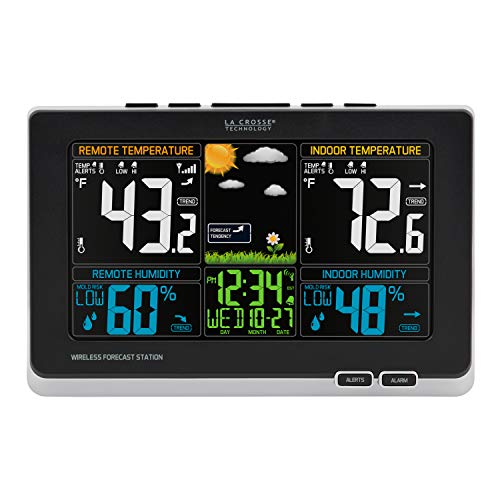
      La Crosse 308-1414MB-INT Weather Station with Mold Indicator

      La Crosse 308-1414MB-INT Weather Station with Mold Indicator

      3.8 / 5 Editorial rating

      If you have a mold problem, the La Crosse 308-1414MB-INT is a good choice. If you live in a damp home, you’re probably all too familiar with mold. It thrives in cool and humid environments, so it’s crucial to  where mold is most likely to grow. The La Crosse 308-1414MB-INT monitors these conditions and will sound an alert if it believes there is a high risk of mold growth. Otherwise, the feature set is similar to the C85845-INT, our top pick. If you don’t have mold issues, that might be the better option (the good news is they’re often priced about the same on Amazon if you don’t know which one to choose!).
    2. 3

      La Crosse Technology C85845-INT Weather Station

      La Crosse Technology C85845-INT Weather Station

      4 / 5 Editorial rating

      While we generally don’t recommend  this brand as there are better options, one thing La Crosse Technology does well is indoor and outdoor thermometers. One of the best indoor-outdoor thermometers is the C85845-INT, which features an adjustable brightness color display and an attractive console that doesn’t take up much space and the temperature is readable from a considerable distance. In addition to indoor and outdoor temperature and humidity, this large display indoor outdoor thermometer also measures the dewpoint and heat index, and “comfort levels” are shown below the humidity readings. While the C85845-INT does measure barometric pressure to provide a forecast, that information isn’t shown. The console runs off AC power, with 3 AA batteries as backup (the outdoor sensor also requires batteries).

      What we like

      • Large, bright display
      • Battery backup

      Keep in mind

      • Accuracy isn’t great without optional radiation shield for the outdoor sensor

    Certain content that appears on this site comes from Amazon. This content is provided “as is” and is subject to change or removal at any time.

    The 5 Best La Crosse Weather Stations

    La Crosse Weather Stations

    We earn a commission when you buy through some links on this page. Cirrusly Weather is our sister store, owned by the same people as The Weather Station Experts. As an Amazon Associate I earn from qualifying purchases.

    1. 1

      La Crosse Technology C85845-INT Weather Station

      La Crosse Technology C85845-INT Weather Station

      4 / 5 Editorial rating

      While we generally don’t recommend  this brand as there are better options, one thing La Crosse Technology does well is indoor and outdoor thermometers. One of the best indoor-outdoor thermometers is the C85845-INT, which features an adjustable brightness color display and an attractive console that doesn’t take up much space and the temperature is readable from a considerable distance. In addition to indoor and outdoor temperature and humidity, this large display indoor outdoor thermometer also measures the dewpoint and heat index, and “comfort levels” are shown below the humidity readings. While the C85845-INT does measure barometric pressure to provide a forecast, that information isn’t shown. The console runs off AC power, with 3 AA batteries as backup (the outdoor sensor also requires batteries).

      What we like

      • Large, bright display
      • Battery backup

      Keep in mind

      • Accuracy isn’t great without optional radiation shield for the outdoor sensor
    2. 2

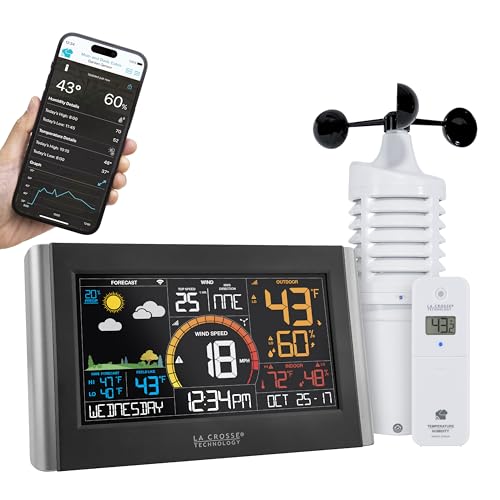
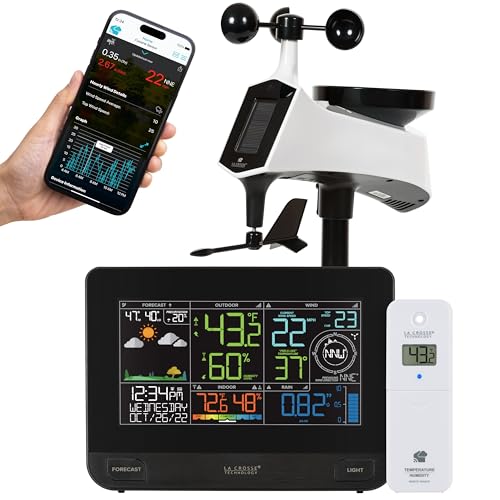
      La Crosse Technology V42-PRO-INT Professional Weather Center with Combo Sensor and Remote Monitoring

      The La Crosse V42A-PRO-INT is a fully-featured weather station, unlike the C85845-INT. In addition to indoor and outdoor temperature and humidity, the V42A-PRO-INT measures wind speed, wind direction, and rainfall. It’s expandable using other La Crosse sensors and can connect to Wi-Fi. It also has forecast icons that change with the seasons, which we’ve always found to be a cool feature of the company’s weather stations. We’d recommend the  at this price if it’s cheaper. But occasionally, this model is on sale for a substantial discount, making it an attractive option for those on a budget.

    Certain content that appears on this site comes from Amazon. This content is provided “as is” and is subject to change or removal at any time.

    For Better Accuracy and Performance

    La Crosse manufactures many cheap weather stations with varying degrees of quality. The average person or casual weather observer will be happy with the performance. However, if you’re a weather enthusiast looking for better accuracy, we recommend considering other manufacturers first. See our list of preferred brands, which you can find by clicking Buyers Guides in the menu above.

    Any questions? Feel free to ask them in the comments below!

  • Davis Vantage Vue ReviewOur Vantage Vue has been watching the skies since 2016, and will for many more

    Davis Vantage Vue Review
    Our Vantage Vue has been watching the skies since 2016, and will for many more

    We earn a commission when you buy through some links on this page. Cirrusly Weather is our sister store, owned by the same people as The Weather Station Experts. As an Amazon Associate I earn from qualifying purchases.

    Davis Vantage Vue

    Davis Vantage Vue

    4.2 / 5 Editorial rating

    The reliability of Davis weather stations is legendary in the weather enthusiast community. I’ve had mine running continuously since September 2016, and I know others who have had theirs for over a decade. There is also the story of a gentleman with a Davis Weather Monitor II (a predecessor to the Vue) who recently upgraded after 27 years (that’s not a typo). While you don’t get the unbeatable accuracy of the high-end Davis Vantage Pro 2 home weather station, my experience has been positive. With the WeatherLink Console, sharing your data is super easy.

    Certain content that appears on this site comes from Amazon. This content is provided “as is” and is subject to change or removal at any time.

    Date of our Original Review: September 2016. In continuous operation until September 2023. Re-review is scheduled for August 2024.

    The Davis Vantage Vue is one of the best mid-grade stations on the market, and much of it is because of its durability. I’ve had my Davis Vantage Vue wireless weather station installed in my backyard since September 2016. It’s been through various weather conditions since then, including blizzards, torrential rainstorms, freezing temperatures, and triple-digit heat.

    With just a minimal amount of maintenance, my experience has been mostly trouble-free. However, you pay for this kind of reliability and quality. And with the introduction of the WeatherFlow Console and inflation, the price has increased even more.

    The WeatherLink Console changes how you interact with your Vantage Vue. If you’re familiar with WeatherLink’s web interface, it is very similar. Internet connectivity is built right in rather than separate like the old console (which required a dongle) and the WeatherLink Live base station, and it features a large touchscreen display. But it does increase the price.

    We’d also recommend that you read our Davis Vantage Pro2 review, too. The accuracy of the Pro2’s instrumentation is best-in-class, and it has a broader range of optional sensors. However, the Vantage Pro2 is almost twice the price. With the Vue, you get all the basics, such as inside and outside temperature and humidity, barometric pressure, rainfall, wind speed, and direction.

    We recommend the Vantage Vue wireless weather station to save money if you don’t have any specialized needs (think gardening, water temperature readings, etc.). And as I can attest, it’s worth the money, and the new console makes a difference.

    Setting up the Vantage Vue

    The Vantage Vue isn’t plug-and-play, although we don’t want to scare you off. It’s a minor assembly, just a bit more than most weather stations we’ve seen and tested. Davis makes it easy with clear and simple directions, so 30-45 minutes is a reasonable estimate of setup time.

    You’ll want to set up the sensor suite first, including inserting the batteries. This will ensure the sensor suite is findable when you go to set up either the old or new console or the WeatherLink Live. Davis does offer a free version of WeatherLink; I’d recommend you opt for the Pro version, which is an additional monthly fee. You’ll gain access to all of your historical data that way. Our only gripe is that you must pay for the feature: everyone else includes it.

    Davis weather station Vantage Vue mounted atop pole

    Installing via the new console is relatively simple if you’re new to the platform. However, we did find the process confusing attempting to upgrade from WeatherLink Live. The new console is also incompatible with the AirLink air quality monitor, although Davis tells us that adding support is a priority.

    If you need help site your station correctly, see our guide on mounting and siting here. Remember that you’re dealing with an all-in-one sensor suite, so you may need to compromise. We installed the console at eye level for more accurate temperature readings: many nearby obstructions would prevent us from getting quality wind readings, even if we placed it well above the ground.

    Up-to-the-minute backyard weather

    It’s a Davis, so accuracy is expected. And over the past seven-plus years, as long as we’ve kept the station well-maintained, that’s what we’ve gotten. To compare our weather data, we have a few personal weather stations and an official NOAA observing station nearby.

    More often than not, our readings match up well with these stations. I’ve never had to recalibrate any sensors, so there’s no “drift.” It also has one of the fastest update intervals of any station on the market, with some readings updating every two seconds. If you’re on the same network as your Davis weather station, you can watch the data roll live on the app — at the same speed it’s delivered to the console.

    So what makes the Vantage Vue so accurate? Davis protects the thermometer/humidity sensor in the outdoor sensor suite with louvered radiation shielding, which is the recommended way to shelter your sensor in direct sunlight. In our experience, this seemed to work quite well, with only minor issues during the mid-summer with heat building.

    The rain gauge has performed exceptionally well. However, there is no option for a heated gauge like with the Vantage Pro2. You’ll need a traditional rain gauge during winter to have accurate precipitation records. To keep your rainfall data accurate, you’ll also want to frequently clear the rain collector area, especially in the fall.

    The traditional cup and vane anemometer are also generally accurate, but you must compromise because it’s an all-in-one sensor suite. The temperature and humidity sensors should be placed at “eye level (5-6 feet), while the wind vane and gauge should be 33 feet! We’ve split the difference in our installation, with the sensor suite about 12 feet above the ground.

    The outdoor sensor suite is solar-powered but has a lithium battery that must be replaced. This powers the console overnight. We’ve changed ours twice since 2016, so battery life is pretty good if you use the right ones.

    The Vantage Pro2 doesn’t have this issue, as the cup-and-vane anemometer is a separate unit. We recommend the Vantage Pro2 instead for the most serious weather watchers.

    weatherlink console

    Having the Vantage Vue long-term, we can attest to the build quality. Nothing has broken except for the radiation shielding, which became brittle with UV exposure, and has begun to discolor. We’ve found some retailers selling replacement shielding and plan to replace that when we do the recommended long-term maintenance (Davis sells a kit just for this purpose, but availability has been scarce lately – stay tuned).

    We’d also like to see Davis do something with how they handle your weather data. The way WeatherLink is set up now, each time you add a new device, it creates a data pool of its own. That doesn’t make much sense. Hopefully, this will be addressed soon because merging all your data is difficult. I used Excel, and it took me weeks to get everything right.

    The Vantage Vue is now upgradeable

    The Vantage Vue has always come second to the Vantage Pro2, and many of the great add-ons for Davis weather stations are for the Pro2. However, with either the WeatherLink Live base station or the WeatherLink Console, you can add any of Davis’ WeatherLink-connected optional sensors, which currently only includes its AirLink air quality monitor.

    While real smart home connectivity other than an Alexa app is still missing, WeatherLink Live makes more sense. It appears that the newer sensors that Davis is releasing are built to be compatible with the WeatherLink Live and Console directly, so options may grow with time on what you can do.

    We highly doubt that the Vantage Vue itself will change much. In fact, in transitioning to the new Console, Davis didn’t make any changes to the sensor suite: it’s essentially the same one that shipped with the first Vues nearly two decades ago. That’s a testament to Davis’ quality. And that’s why they get away with charging a premium, much like Apple does with gadgets.

    Davis Vantage Vue home weather station
    Taken in 2016

    If you can afford it, there are few equals at its price. The Ambient Weather WS-5000 is probably the closest — but our experience with Davis so far always gives them the edge. Other than AcuRite, Davis has been selling home weather stations longer than anyone else, and their experience shows in the quality and longevity of their products.

    The only issue is that the company moves slowly in improving its product. Before the WeatherLink Live, Davis weather stations didn’t have any kind of upgrade for well over a decade. It took another five years for the console to debut — although we had heard back in 2020 and 2021 that it was coming.

    If Davis’ products weren’t so reliable and well-known, I don’t think they’d be able to get away with this. Look at companies like Ambient Weather and WeatherFlow, continually updating their offerings and/or releasing new stations. That’s not the case here: there are only two options, the Vue and the Pro2.

    Choose the Vue if you want Davis quality without the $1,000 price tag. However, if you want the best, we recommend you opt for the Pro2 instead. But either station is an excellent choice, made even better by the WeatherLink Console.

    Welcome to the 21st Century, Davis!

    Editor’s note: This was one of the original reviews posted to TWSE in Spring 2020. We’ve updated our review based on our long-term experience and the addition of the WeatherLink Console, which resulted in an overall increase in the Davis Vantage Vue’s rating in our metrics.

    We earn a commission when you buy through some links on this page. Cirrusly Weather is our sister store, owned by the same people as The Weather Station Experts. As an Amazon Associate I earn from qualifying purchases.

    Davis Vantage Vue

    Davis Vantage Vue

    4.2 / 5 Editorial rating

    The reliability of Davis weather stations is legendary in the weather enthusiast community. I’ve had mine running continuously since September 2016, and I know others who have had theirs for over a decade. There is also the story of a gentleman with a Davis Weather Monitor II (a predecessor to the Vue) who recently upgraded after 27 years (that’s not a typo). While you don’t get the unbeatable accuracy of the high-end Davis Vantage Pro 2 home weather station, my experience has been positive. With the WeatherLink Console, sharing your data is super easy.

    Certain content that appears on this site comes from Amazon. This content is provided “as is” and is subject to change or removal at any time.

  • Weather Station Test Results (2023)

    Weather Station Test Results (2023)

    These are our archived previous rankings. Our current rankings can be found here.

    Updated June 27, 2023, to include our test results for the KestrelMet 6000.
    Updated July 1, 2023, to include revised ratings for the Davis Vantage Vue and Vantage Pro2 with WeatherLink Console.

    Home Weather Station Test Results

    Jump to: Full Weather Station Buyers Guide Rankings | Accuracy | Affordability | Durability | Feature Set | Ease of Use

    Twelve weather stations were considered for our weather station buyers guide. To determine the best weather station, we look at five areas: accuracy/performance, affordability, durability, feature set, and ease of use. We then compare them side by side, giving a rating in each area. The overall rating is weighted in the following manner:

    • Accuracy/Performance: 25%
    • Affordability: 25%
    • Durability: 20%
    • Feature set: 15%
    • Ease of use/usability: 15%

    To decide which home weather station is the best, we’ve developed a 100-point scoring system to determine the five best we will feature on our front page (although nine of these stations met our basic requirements). Below, we’ve ranked our top stations in each area. Where the scores are the same, the weather station’s overall ranking breaks the tie. Generally, scores between 80-100 are considered the best, 70-80 good, 60-70 average, and 59 and below poor. Here are those scores for the 12 weather stations we tested.

    Which weather station is the best overall?

    Our Pick: WeatherFlow Tempest. The Tempest offers a full suite of sensors, including a well-performing lightning detector. While it is not the most accurate weather station we’ve reviewed, it generally performs well, and smart home compatibility is a big plus. However, the KestrelMet 6000 is a close second, and if it wasn’t for its $999 price tag, it would likely be our new top pick.

    The Ambient Weather WS-2902 is an excellent alternative, as is the WS-5000. The WS-2902 scores well thanks to an expansive feature set, far more than most other stations at its price point. While it doesn’t include a lightning detector (you’ll have to top for the WS-5000 for that option), it does have UV and light sensors. While the high price of the WS-5000 weighs on its score, sensor accuracy is much better than the WS-2902, and you can add any of Ambient Weather’s optional sensors to your setup.

    We are partial to the Davis Vantage Vue, however. It is the most accurate home weather station outside of the Davis Vantage Pro2, and Davis stations last for years. The new WeatherLink Console has made Davis weather stations more competitive and also giving them a ratings bump in our formula, but that rise would have been more if Davis’ prices didn’t increase.

    WeatherFlow Tempest

    Review Score: 86/100

    Find the Best Deal Read Our Review

    KestrelMet 6000

    Review Score: 85/100

    Find the Best Deal Read Our Review

    Ambient Weather WS-2902

    Review Score: 83/100

    Find the Best Deal Read Our Review

    Ambient Weather WS-5000

    Review Score: 82/100

    Find the Best Deal Read Our Review

    Davis Vantage Vue

    Review Score: 81/100

    Find the Best Deal Read Our Review

    Davis Vantage Pro2

    Review Score: 79/100

    Find the Best Deal Read Our Review

    AcuRite Atlas

    Review Score: 76/100

    Find the Best Deal

    Ambient Weather WS-2000

    Review Score: 75/100

    Find the Best Deal

    AcuRite Iris

    Review Score: 75/100

    Find the Best Deal
    WeatherFlow Tempest sensor on pole
    The WeatherFlow Tempest excelled in many areas and is reasonably priced, making it the Best Weather Station of 2022.

    Three home weather stations on our list scored high in our scoring model but did not meet the minimum requirements to be included in our weather station buyers guide (they have a low rating in a category where a minimum rating is required). These are still good choices for certain types of users, however.

    The Ambient Weather WS-1900A scores very high thanks to its low price and functionality that matches the WS-2902. However, the WS-1900A feels like it’s missing something without Wi-Fi connectivity. The Netatmo Weather Station has Wi-Fi connectivity (it was the first “smart” weather station). Still, not much has changed in the half-decade since, and the base package only includes the temperature and humidity sensors.

    Finally, the AcuRite Notos is the cheapest home weather station we considered. It’s quite small and is perfect for small yards. But it only measures wind, temperature, and humidity — you’ll need a separate rain gauge to get a complete picture of your backyard weather.

    Ambient Weather WS-1900A

    Review Score: 81/100

    Find the Best Deal

    AcuRite Notos

    Review Score: 69/100

    Find the Best Deal

    Netatmo Weather Station

    Review Score: 67/100

    Find the Best Deal

    Which weather station is the most accurate?

    Our Pick: Davis Vantage Pro2 or the KestrelMet6000. The Davis Vantage Pro2 was our tests’ most accurate home weather station. These stations are used in scientific and commercial applications worldwide. The KestrelMet 6000 proved to be just as accurate, if not more so. However, the Davis Vantage Vue or the Ambient Weather WS-5000 are great alternatives and significantly cheaper.

    With the Vantage Pro2 Plus or the 6000, readings shouldn’t stray further than a degree or two from the actual temperature. Our tests found both the Vantage Vue and the WS-5000 to be a close second, although, without the fan aspiration, readings will sometimes be a degree or two too hot. It depends on the sun’s angle and how long the station is in direct sunlight during the day.

    The Tempest also was within this same range, although the haptic rain gauge undercounted precipitation in our tests (admittedly, we tested a launch unit, so this may have been fixed). The WS-2000 and 2902 share the same sensor suite, and with a smaller funnel, both undercount precipitation by a few hundredths of an inch in heavier rainstorms. The AcuRite stations performed the worst in our tests, especially rainfall measurements.

    Bottom line? You get what you pay for regarding accuracy in home weather stations. In our experience, price is often a good predictor of sensor quality and accuracy, although exceptions exist. One thing we don’t recommend is department store models, mainly because the vast majority are junk. These stations are built to be inexpensive, and the sensor quality is not there. I’ve found these stations to have the most issues in accurately measuring temperature, humidity, and rainfall.

    We also find that higher-end stations offer far more reliable performance and don’t suffer from connectivity issues or maintenance problems as much.

    Accuracy Ratings

    Davis Vantage Pro2

    5/5

    KestrelMet 6000

    5/5

    Davis Vantage Vue

    4.5/5

    Ambient Weather WS-5000

    4.5/5

    WeatherFlow Tempest

    4/5

    Ambient Weather WS-2000

    3.5/5

    Ambient Weather WS-2902

    3.5/5

    AcuRite Atlas

    3.5/5

    AcuRite Iris

    3/5

    Which weather station is the most affordable?

    Our Pick: Ambient Weather WS-2902. The WS-2902 is the most affordable home weather station on our list, but we strongly recommend the Ambient Weather WS-2000 or WeatherFlow Tempest, as they have far more functionality. Here, the Ambient Weather WS-2000 may be a good pick as it has expandability and is $30 cheaper (MSRP) than the WS-5000.

    AcuRite’s stations also rank high in this category, as they are some of the cheapest stations on the market, with the Iris a bit cheaper than the WS-2902. However, we’d strongly recommend the AcuRite Atlas instead if you’re set on an AcuRite home weather station. It’s an overall better deal.

    Regardless of your pick, expect to spend anywhere from $150 to $1,500. However, it’s more likely that you’ll pay somewhere in the middle of that range — given the best weather stations are often mid-range models. We recommend using our brand guides, which represent a good range of stations at various price points to fit any budget. Start with the mid-range models first, and compare them with cheaper and more expensive models to ensure you’re getting the best station for your needs.

    Affordability Ratings

    Ambient Weather WS-2902

    5/5

    AcuRite Iris

    5/5

    AcuRite Atlas

    4/5

    Ambient Weather WS-2000

    3.5/5

    WeatherFlow Tempest

    3.5/5

    Davis Vantage Vue

    2.5/5

    Ambient Weather WS-5000

    2.5/5

    KestrelMet 6000

    2/5

    Davis Vantage Pro2

    1/5

    Which weather station is the most durable?

    Our Pick: WeatherFlow Tempest. Our tests found the WeatherFlow Tempest the most durable home weather station. This station is built for the long haul with no moving parts and solid construction (and it operates entirely on solar power). The Ambient Weather WS-5000’s only moving parts are in the rain gauge, and the Davis weather stations are known to last up to a decade or longer. Our test Vantage Vue has been operating continuously since September 2016 with minimal maintenance. And while the KestrelMet 6000 is new, based on our tests, the station isn’t built cheaply and should last.

    AcuRite’s stations rank at the bottom, as we’ve found through experience (and user reviews) that they don’t seem to hold up as well as the other stations. The plastics used are lower quality than other stations, and overall station life is shorter than others in our weather station buyers guide.

    Regardless of your home weather station, all stations are made of plastic. The elements will do a number on your equipment, and the best weather stations will hold up for years (sometimes decades). However, cheaper models are built with less durable plastic and show their age quickly.

    Durability Ratings

    WeatherFlow Tempest

    5/5

    KestrelMet 6000

    5/5

    Ambient Weather WS-5000

    5/5

    Davis Vantage Vue

    5/5

    Davis Vantage Pro2

    5/5

    Ambient Weather WS-2000

    4/5

    Ambient Weather WS-2902

    4/5

    AcuRite Atlas

    4/5

    AcuRite Iris

    3.5/5

    Which weather station has the most features?

    Our Pick: WeatherFlow Tempest or the KestrelMet 6000. It’s close, but the WeatherFlow Tempest has the most features standard of any home weather station, although the Ambient Weather WS-5000 and KestrelMet 6000 have the expandability that the Tempest doesn’t. We’re huge fans of the Tempest’s lightning detection, which has been the best of any weather station we’ve tested.

    The KestrelMet 6000 is again among the top stations in this category, as its standard feature set is surprisingly robust, with expandability available (it does not have lightning detection functionality yet). The AcuRite Atlas does well here as one of the cheapest “pro-grade” stations available.

    But the Ambient Weather WS-5000 and WS-2000 aren’t far behind. You can add lightning detection via an optional sensor (but it isn’t as good in detection). However, the expandability is something the Tempest currently doesn’t have. The Davis Vantage Pro2 does have some optional sensors, and the WeatherLink Console shows a lot of promise, but its high price might be a turn-off.

    Everyone’s needs change, and you might need to add new sensors. We recommend that you always opt for expandability if you can afford it. Purchasing a weather station with this option will extend the useful life of your setup.

    Functionality Ratings

    WeatherFlow Tempest

    5/5

    KestrelMet 6000

    5/5

    Davis Vantage Pro2

    5/5

    Ambient Weather WS-5000

    4.5/5

    AcuRite Atlas

    4/5

    Ambient Weather WS-2000

    4/5

    Davis Vantage Vue

    4/5

    Ambient Weather WS-2902

    3.5/5

    AcuRite Iris

    3/5

    Which weather station is the easiest to use?

    Our Pick: WeatherFlow Tempest, KestrelMet 6000, or Ambient Weather WS-2902 (tie). The WeatherFlow Tempest and Ambient Weather WS-2902 are the easiest weather stations, with the KestrelMet 6000 equally simple to install and use. Setup for either is straightforward, and the apps are easy to use.

    Davis’ WeatherLink Console improves Davis’ usability ratings, although with a few bugs yet, it’s not quite perfect. While the WS-2000 and WS-5000 aren’t that hard to set up, we struggled to navigate the console’s UI in our tests, which knocked a bit off the final score. AcuRite’s stations are generally easy to use but with a few hiccups. All in all, none of the home weather stations we tested were too tricky to use.

    Usability Ratings

    WeatherFlow Tempest

    5/5

    KestrelMet 6000

    5/5

    Ambient Weather WS-2902

    5/5

    Davis Vantage Vue

    4.5/5

    Davis Vantage Pro2

    4.5/5

    Ambient Weather WS-5000

    4/5

    Ambient Weather WS-2000

    4/5

    AcuRite Atlas

    4/5

    AcuRite Iris

    4/5

    Weather Station Buyers Guide Bonus Tip

    Look for connectivity and smart home support!

    Nearly every home weather station is wireless these days, which helps give flexibility in weather station placement. They also are often Wi-Fi and smart home capable, which is important. We looked for internet connectivity when considering stations to include in our weather station buyers guide.

    You can view your data from anywhere through an app or web-based portal. You can also use your data to control your smart home devices. When your weather station detects rain, it could turn your sprinklers off to conserve water. While some weather enthusiasts might not have a use for smart home connectivity, many do.

    Most of our recommendations also offer historical data storage. Some owners have decades of data stored; we’re into our sixth year ourselves. With years of use, you’ll build a useful historical weather record of your location — and be able to compare your records with nearby official stations.

    We hope you’ve fou

  • Weather Station ManualsFind instructions for your specific model below

    Weather Station Manuals
    Find instructions for your specific model below

    Lost your weather station manual? Don’t panic; we got you covered. This helpful page lists weather station manuals for all the weather stations we recommend here on The Weather Station Experts. We’ve organized them by brand.

    (We’re currently redesigning this page at the moment.. stand by..)

    Direct links to these manuals can sometimes change before we catch them. If you spot a “dead” or incorrect link, please send us a message to alert us!

    General Weather Station Questions

    We’ve listed a few questions below that pertain to just about any weather station that may answer your question without having to refer to your manual.

    How do you set up a weather station?

    Before setting up your weather station, take some time to plan out your setup. Your weather station’s sensor suite should be in an area free of any obstructions. If it is solar powered, it’s also important to have it in an area that will receive at minimum of 4-6 hours of direct sunlight each day even during the winter months.

    How do you calibrate a weather station?

    Most home weather stations come calibrated from the factory, and will only require you to calibrate your barometer at setup. We don’t recommend calibrating any other sensors. However, if you notice readings are regularly too high or too low, using the station’s calibration settings. Where you’ll find this varies from weather station to weather station, so you’ll need to refer to your manual.

    It’s windy. Why are my weather station wind readings so low?

    Most people don’t realize that the official height where wind readings are taken is 33 feet! This is higher than a three story building, so even if your sensor suite is on top of your house, it still might not be high enough! The only way to get good wind readings at the surface is in a wide open area, which most of us won’t have access to. Our recommendation is to get it 10 feet above your roofline for the best results. Otherwise, be prepared for this — it’s somewhat unavoidable. See our installation guide for more.

    How do you properly maintain a weather station?

    Nearly any home weather station — even the cheaper ones — will give you years of trouble-free use f you take only 30 minutes out of your day every so many months to keep your weather station performing at its best. While our weather station maintenance guide has more, here are some basic tips:

    • Make sure you disconnect everything before you start. This prevents false readings in your records.
    • Debris, leaves, and yes, even bug and bird nests can cause your readings to be off. We recommend cleaning your weather station every six months or so, especially before winter, and again in the summer.
    • Aging weather stations may require recalibration as the sensors age.
    • Always recheck your ‘siting’ or the placement of your weather station. New obstructions may require you to move the sensor to a better location.

    AcuRite Weather Station Manuals

    Most of AcuRite’s weather stations fall under three brands: (from least featured to most featured) the Notos, the Iris, and the Atlas. The nice thing about AcuRite’s directions is that they also include helpful videos, too.

    Ambient Weather Weather Station Manuals

    While some stations by Ambient are similar, make sure you’re picking the right Ambient weather station manual as there are some small differences.

    Davis Instruments Weather Station Manuals

    Davis Instruments has manuals for both its console AND the sensor suite. The links below take you to the sensor suite instructions. You can find the Davis Vantage Vue console instructions here and the Vantage Pro2 console instructions here. Please note that these are the first-generation consoles; if you’ve purchased the WeatherLink Console, you can find that manual below.

    Ecowitt Weather Station Manuals

    Ecowitt stations are similar to Ambient Weather Stations, but they’re not exactly the same. We’ve listed manuals for the models you’ll find here on TWSE. Like Davis, Ecowitt also has different manuals for the consoles. The links below take you to the instructions for the sensor suite in the package. For the packages with the separate rain gauge, use the WH5360B instructions.

    Ecowitt Weather Stations

    We earn a commission when you buy through some links on this page. Cirrusly Weather is our sister store, owned by the same people as The Weather Station Experts. As an Amazon Associate I earn from qualifying purchases.

    1. 1

      Ecowitt Wittboy

      Ecowitt Wittboy

      4.3 / 5 Editorial rating

      The Wittboy is Ecowitt’s latest Wi-Fi weather station. It doesn’t have lightning detection or smart home capabilities (that we can tell), but it does pretty much everything else the Tempest does. The outdoor sensor contains a haptic rainfall sensor, light and UV sensors, an ultrasonic wind speed sensor, and temperature and humidity sensors. Ecowitt also includes its Wi-Fi hub, which allows you to send your data to Weather Underground.
    2. 2

      Ecowitt WS2910 Wi-Fi Weather Station

      Save a little bit of money with the WS2910. If you prefer an “all-in-one” sensor suite (especially with limited space), opt for the . It includes the same sensor suite as the HP2551, but has a more basic console. You also lose the capability to expand. However, the WS2910 still features the Wi-Fi connectivity of more expensive .

    Certain content that appears on this site comes from Amazon. This content is provided “as is” and is subject to change or removal at any time.

    Kestrel Weather Station Manuals

    We have all the Kestrel Weather Meter manuals, including the manual for Kestrel’s first fixed home weather station, the KestrelMet 6000. As an aside, the user guide for the Kestrel 1000, 2000, 3000, and 3500 is the same.

    La Crosse Weather Station Manuals

    La Crosse is more known for its indoor outdoor thermometers, but they do have a few weather stations as well.

    WeatherFlow Weather Station Manuals

    While the Tempest is WeatherFlow’s only home weather station at this point, we’ve also included instructions for the WeatherMeter as well.

  • Weather Station Prices are Going UpHere are the best deals we found

    Weather Station Prices are Going Up
    Here are the best deals we found

    We’ve heard a lot about inflation and component shortages over the past several months, from cars to homes and even our groceries. But there’s another place inflation seems to be showing up: weather station prices.

    Given that we regularly monitor Amazon for changes in the availability of the products we recommend, we can spot trends in availability and weather station prices. It was difficult to purchase a weather station this summer: component shortages are likely to blame for many models going out of stock in July and August.

    But as stock is returning, we’ve noticed a trend of higher prices, most between 5-10%, but one station has gone up in price by close to 20%! That’s a massive jump. Are these prices here to stay? We think so, and prices might continue going up.

    Why are weather station prices going up?

    The core reason likely has much to do with continuing component shortages due to the COVID-19 pandemic. It’s affecting just about anything with electronic components, including new cars. These conditions will likely last into next year, which has dramatically slowed the manufacturing of just about anything electronic.

    Will weather station prices come back down?

    It’s hard to say at this point. Some weather stations we feature rarely go on sale, so these higher prices are likely here to stay for the foreseeable future. With the holiday season coming up, there will likely be sales, but with continuing component shortages, they might not be as good as in previous years.

    Have the price changes affected your recommendations?

    Somewhat, yes. We’re finalizing our lists for the holiday shopping season. Still, in weather stations, we now recommend the Ambient Weather WS-2000 over the WS-5000 and recommend the WeatherFlow Tempest as the best smart home weather station. With price increases elsewhere, we’re taking a second look at all of our recommendations to ensure you’re getting the best value.

    Price Increases We’ve Found

    The most significant price increase is Ambient Weather’s WS-5000. According to our price tracker, ambient raised the price $30 in early spring from its $300 launch price, followed by a $40 increase at the beginning of the summer. But the latest price hike, $50, is the biggest yet (a 20% increase). In fairness to Ambient Weather, some of this may be due to better components and not just “inflation:” Ambient claims the latest WS-5000’s shipped has three times the radio range of previous models.

    Ambient’s other stations aren’t as affected: the WS-2000 jumped 5% in February (although it was an outstanding Prime Day deal at $230 — we’re watching this one for a Black Friday special), and the WS-2902C is still the same price that it’s been for months on Amazon.

    Davis stations have also started to go up in price on Amazon, although they remain a much better deal than buying them directly from the company. The Vantage Vue and WeatherLink package that’s our top recommendation went up a little over $20 late last month, a 6.5% increase. In comparison, the higher-end Vantage Pro2 is now $50 more expensive, a 6% increase according to our Price Tracker (although a cheaper sensor suite/WeatherLink Live bundle is also available).

    So far, there are changes to AcuRite weather station prices we’ve spotted. The Notos and Iris models we recommend have generally stayed the same price, and the Atlas is the same price since launch: $300. The WeatherFlow Tempest price also remains unchanged as well, according to our price tracker data.

    What are the best weather station deals right now?

    With weather station prices going up, we’ve noticed a definite shift in the weather stations our readers ultimately buy after reading our reviews over the summer. The Ambient Weather WS-5000 was by far the top-selling weather station for much of the first part of 2021, but the new higher price tag seems to scare some away.

    Here are the top three weather stations our readers have been buying recently.

    Ambient Weather WS-2902

    We haven’t seen a station yet in the WS-2902’s price point that offers similar functionality, especially when it comes to smart homes. The console is a bit simplistic, though, its biggest downfall.

    [lasso ref=”ambient-weather-ws-2902-weather-station” id=”3092″ link_id=”880″]

    Ambient Weather WS-2000

    The WS-2000 is an odd one: kind of like a mix between the WS-2902 and the WS-5000. The big difference is the console, which is far more helpful and functional.

    [lasso ref=”ambient-weather-ws-2000-weather-station” id=”3093″ link_id=”881″]

    WeatherFlow Tempest

    We’re currently retesting the WeatherFlow Tempest, as we’ve seen several positive reviews on some fixes that have been rolled out for the haptic rain sensor. Also, its lightning detection capabilities are phenomenal.

    [lasso ref=”weatherflow-tempest-weather-system” id=”3094″ link_id=”882″]